Here is how to add water to the Nutrition Tracker:
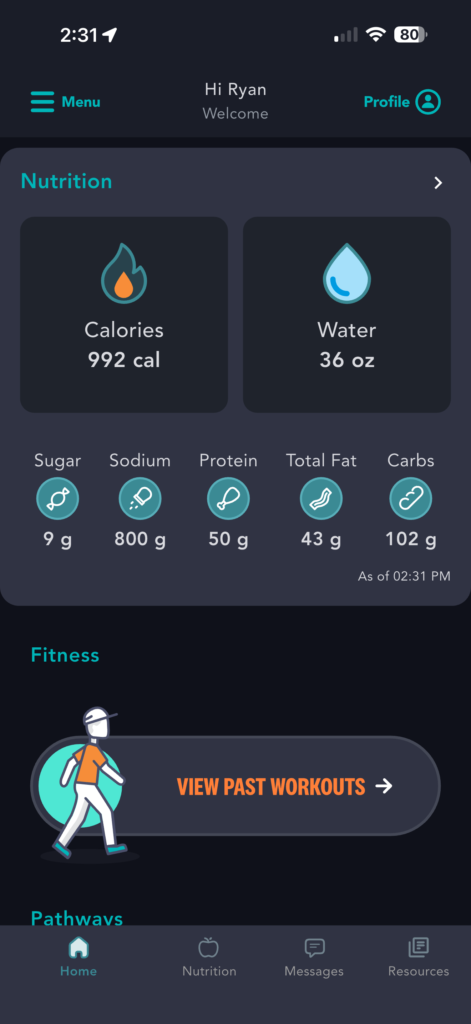
1) From the homepage, scroll down to the Nutrition section or tap “Nutrition” in the bottom navigation menu
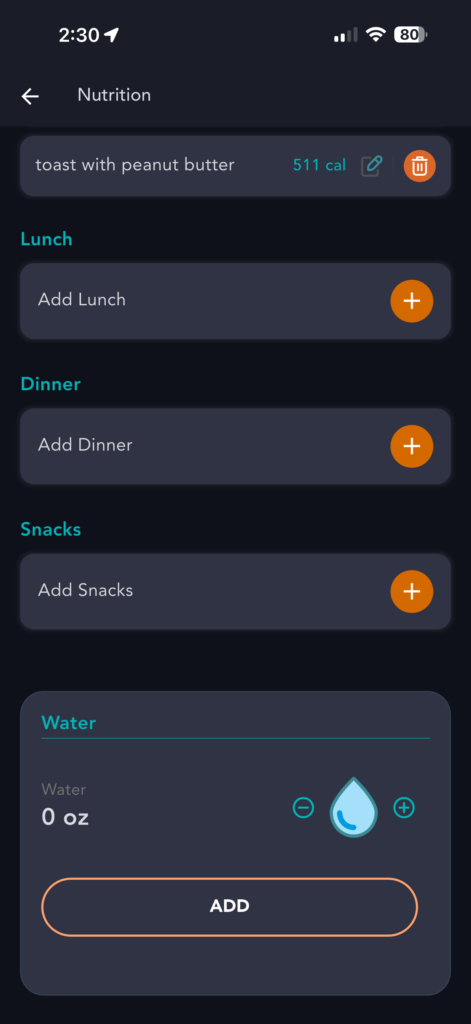
2) Scroll to the bottom of the Nutrition Tracker page
3) Select the number of ounces to track by tapping the plus (+) and minus (-) buttons
4) Tap “Add” to add it to your daily Nutrition Tracker totals
Published on June 20, 2025