The PACE mobile app connects with your Apple Health or Fitbit smartwatch or wearable to track your physical activity and steps.
Here is how to pair your device with the app.
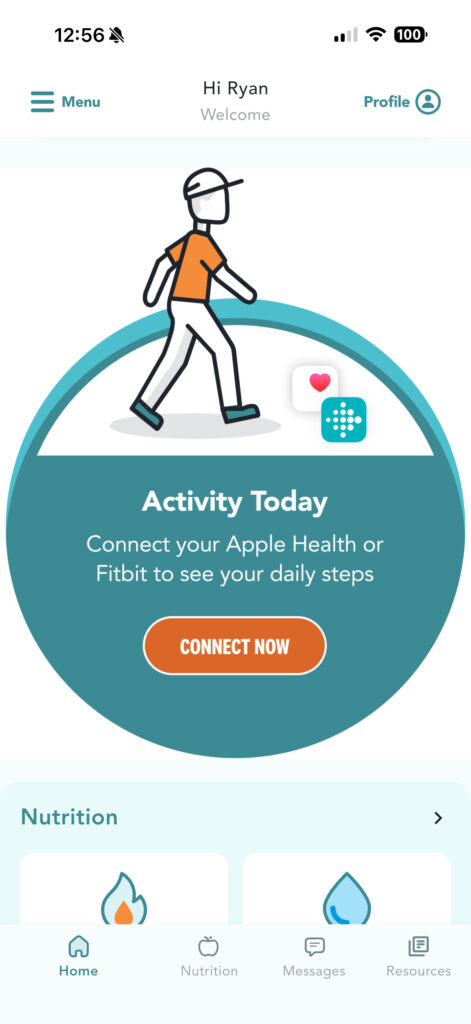
1) From the Homepage, navigate down to the “Activity Today” section
2) Click “Connect Now”
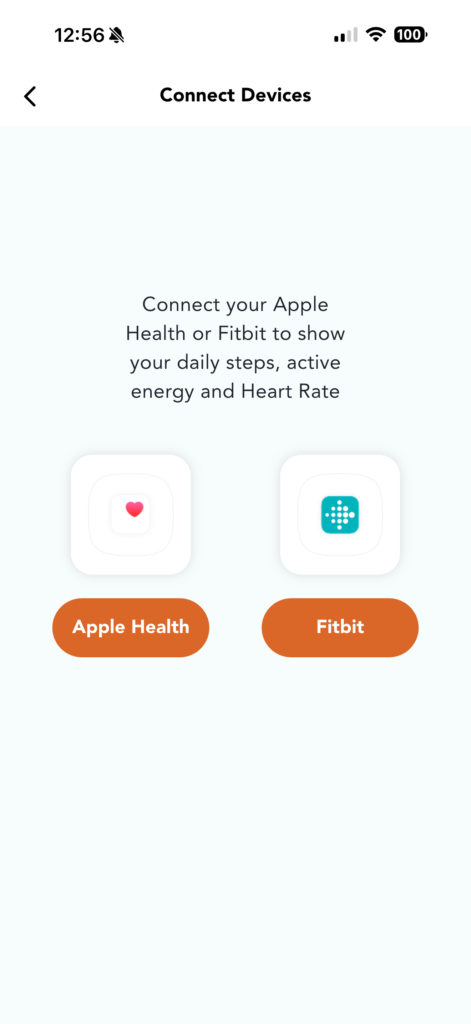
3) Select your device.
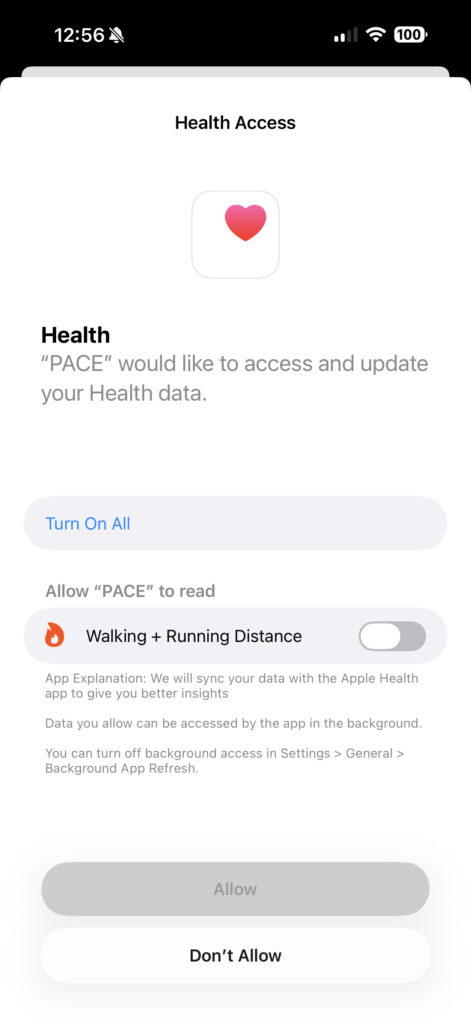
4) Tap “Turn On All” and then “Allow”
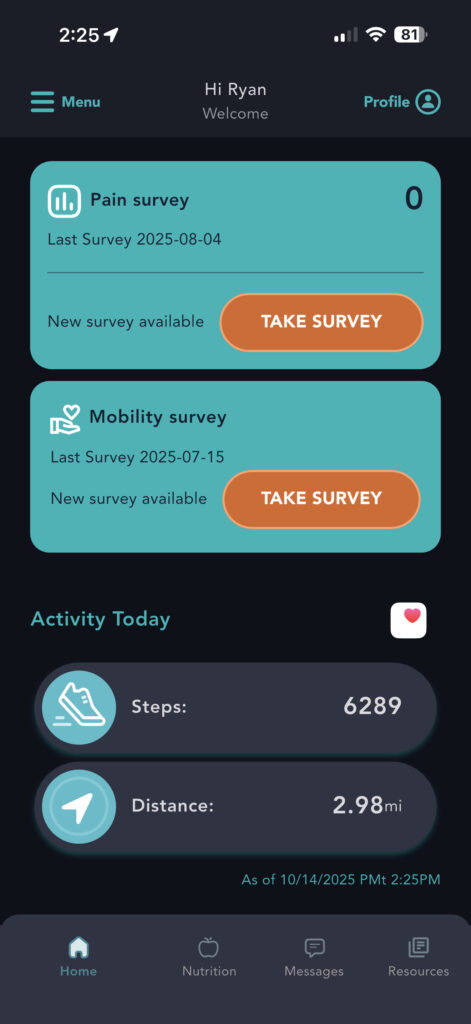
5) You will now see your activity on the Home Tab
Published on May 20, 2025